When you’re building a website or launching a new project the first big decision is whether to go with a custom design or stick with ready-made templates. Each path promises its own set of advantages and challenges that can shape your brand’s identity and impact your workflow.
Choosing between custom design and templates isn’t just about looks—it’s about finding the right fit for your goals budget and timeline. Whether you want full creative control or a quick launch there’s a solution that matches your needs. Let’s explore what sets these options apart so you can make the best choice for your next project.
Understanding Custom Design and Templates
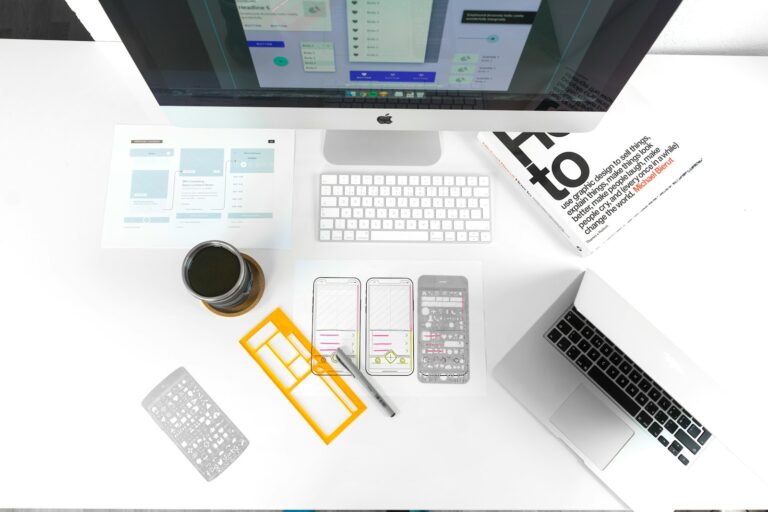
Custom design lets you create a website tailored to your brand’s specific goals, colors, and functionality. Designers use tools like Adobe XD, Figma, or Sketch to build layouts, elements, and features from scratch. You set every detail, from navigation menus to icon styles, ensuring your site stands out and matches your business requirements.
Templates provide pre-built website frameworks created by designers for platforms like WordPress, Shopify, or Wix. These templates cover common layouts and features, such as galleries, contact forms, and product pages. You swap out images, text, and colors to fit your brand, but the core structure and design stay the same for each template.
Your choice between custom design and templates has a direct impact on your project’s uniqueness, scalability, timing, and budget. Custom design offers maximum branding flexibility but usually requires more resources for development and testing. Templates shorten launch times and save costs yet may limit distinctiveness or customization, especially for advanced features. For most small businesses, portfolio sites, or simple e-commerce stores, templates deliver a quick path to a professional-looking result. For projects needing unique workflows—such as custom booking systems or interactive dashboards—custom design aligns better with complex needs.
Benefits of Custom Design
Custom design supports your brand’s distinct identity and business growth with precise solutions. You’ll access advantages in branding, functionality, and strategic positioning not available with generic templates.
Unique Branding and Personalization
Custom web design creates a digital presence tailored to your brand, using exclusive color palettes, typography, layouts, and imagery. Elements like logos, product galleries, and navigation structures match your visual identity, ensuring competitors can’t replicate your look. Reputable sources highlight how this personalized approach builds stronger brand recognition and memorability across digital platforms.
Greater Flexibility and Scalability
Custom websites accommodate your evolving business needs by supporting integrations with tools such as CRMs, eCommerce platforms, and AI features. You can modify functionality or add features like booking engines or custom dashboards at any stage. If your organization anticipates rapid growth or changing requirements, custom builds adapt without constraints like pre-set structures or plugin limits.
Competitive Advantage
Custom sites deliver superior user experience through optimized performance, faster load times, and streamlined SEO features, as noted by industry research. You benefit from tailored information architecture, which improves search engine visibility and user engagement. With enhanced security measures built into every layer, your custom website reduces typical vulnerabilities found in template-based setups, strengthening your market position.
Drawbacks of Custom Design
Custom design supports distinct branding and tailored website functionality, yet it brings higher costs, longer development time, and greater dependence on technical expertise.
Higher Costs
Custom website design involves a larger upfront investment than templates. You pay for tailored features, unique design elements, and a team that often includes designers, developers, SEO specialists, and content creators. Costs rise when you request specialized functions or frequent adjustments. For smaller budgets, these higher expenses limit feasibility compared to template-based alternatives.
Longer Development Time
Custom websites require detailed planning, wireframing, development, and testing. You may wait several weeks or even months while your site moves through design and QA phases. If your business faces strict deadlines or aims for a fast launch, these longer timeframes could disrupt your rollout strategy. Templates, in contrast, allow you to go live much sooner using ready-made structures.
Need for Specialized Expertise
Custom web projects depend on skilled professionals with expertise in design, coding, SEO, and digital marketing. You engage in ongoing collaboration with this team to ensure your specifications are met. After launch, you manage regular maintenance and updates, using either in-house developers or outsourced support. If your business lacks technical resources, this dependency can slow progress or increase operational challenges.
Advantages of Using Templates
Choosing templates streamlines website creation, supporting tight budgets and quick timelines. You can launch a professional-looking site fast without extensive design or coding expertise.
Cost-Effectiveness
Templates minimize upfront investment, making them especially suitable for startups or small businesses. Popular platforms like WordPress, Shopify, and Squarespace provide a wide selection of free and paid templates for industries such as restaurants, retail, and personal portfolios. You access professional layouts and core features for a fraction of the cost of custom development.
Fast Deployment
Templates allow you to publish your website rapidly. You can skip the lengthy design process, since templates arrive pre-built and ready for customization. Seasonal campaigns, product launches, and restricted timelines benefit from this speed, enabling you to react quickly to new market opportunities.
User-Friendly Options
Templates support a user-friendly experience, providing built-in navigation, forms, and image galleries. Many templates use drag-and-drop editors, letting you update content or adjust design elements without technical skills. You maintain control over basic customization, ensuring your website stays intuitive and visually consistent while following industry best practices for usability and conversions.
Disadvantages of Using Templates
Using templates speeds up website creation and lowers upfront costs, but several drawbacks limit your options as your business evolves. The following disadvantages may impact your site’s adaptability, brand identity, and long-term performance.
Limited Customization
Template customization mostly covers basic elements like colors, fonts, and images. If you want unique layouts or advanced features, templates make significant changes difficult without developer assistance or coding skills. Brand-specific styles or custom user journeys quickly run into barriers, limiting your website’s ability to fully represent your business identity.
Potential for Generic Appearance
Many companies use the same popular templates across industries, resulting in websites that look similar. Sites relying on standard templates often lack visual distinction and memorable branding, which reduces their competitive edge, especially in saturated markets like e-commerce or professional services.
Issues with Scalability and Performance
Templates often include a wide set of features to fit different audiences, bringing unnecessary code and third-party scripts that slow down site speed. As your business grows and demands more advanced capabilities, templates struggle to support new functionalities, complex workflows, or seamless integrations. This limitation leads to costly redesigns or migrations to custom solutions if your site outgrows its original template.
How to Choose Between Custom Design and Templates
Selecting between custom design and templates depends on matching your website strategy with your project requirements, available resources, and future objectives. Use the following criteria to align your choice with your business context.
Assessing Your Business Needs
Assessing your business needs means analyzing the complexity and specific requirements of your project. Custom design fits organizations with unique branding, complex user journeys, or sensitive data, including finance, healthcare, or e-commerce with personalized dashboards. Templates match simple projects, such as brochure sites, portfolios, or short-term landing pages, where rapid launch and standard functionality take priority. If your priorities include branding distinctiveness or advanced workflows, prioritize custom solutions.
Budget and Time Considerations
Budget and time considerations directly impact your decision. Templates lower upfront costs, enabling startups or small businesses to deploy in days. Custom design projects require a larger initial investment, with more resources dedicated to planning and building, which can extend timelines by weeks or months. If immediate online presence is crucial, templates expedite launch; if long-term value and control take precedence, custom design provides reliable performance at a higher upfront cost.
Long-Term Goals and Growth
Long-term goals and growth planning determine the scalability of your site. Custom design handles expansion, integrates with CRMs, payment gateways, and adapts easily as business models evolve. Templates support short-term testing or MVP launches but often hit technical or performance ceilings if you expand features or increase traffic. If your roadmap includes sustained growth or advanced personalization, opt for custom design for better adaptability and seamless integration as needs develop.
Conclusion
Choosing between custom design and templates shapes your website’s future and how your brand stands out online. Your decision comes down to your goals budget and how quickly you need to launch. Take time to evaluate what matters most to your business and where you see it heading. When you match your choice to your unique needs you’ll set yourself up for lasting success and a website that truly works for you.