Reaching a global audience means your website or app can’t stick to just one language. Whether you’re running a personal blog or managing a business site you want visitors to feel right at home—no matter where they’re from. Multi-language support isn’t just a nice-to-have anymore—it’s essential for growth and user satisfaction.
You don’t need to start from scratch or hire a team of translators to make your template multilingual. With the right steps you’ll add new languages quickly and keep your content accessible for everyone. Let’s break down the process so you can open your template to the world and boost your reach with confidence.
Understanding Multi-Language Support
Multi-language support lets you display content in more than one language across your site or template layouts. You deliver consistent experiences to users from different regions, using the same template structure and design logic. When users access your site, they see text and interface elements in their preferred language, enhancing engagement.
You manage translations for headings, navigation menus, buttons, labels, legal disclaimers, and dynamic elements like product descriptions. You store each translation as a value for a specific language key, so your template references these values based on user language selection. You integrate language files or use localization libraries that map these keys to the user’s chosen language, ensuring real-time switching.
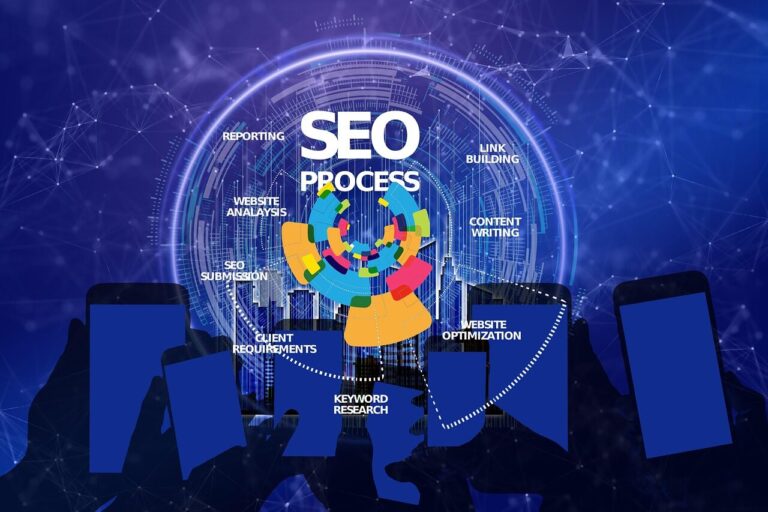
You strengthen SEO by enabling alternate language tags and region-specific metadata, so search engines index your content in multiple languages. You improve accessibility and lower bounce rates, as users interact with information they understand instantly. Multilingual templates also support growth in international markets, since users prefer browsing and purchasing in their own languages.
Preparing Your Template for Localization
Efficient template localization starts with smart structure and clear separation of content and code. Ensure your template design supports updates, flexible translations, and accurate display for all target languages.
Identifying Text Elements for Translation
Identify every string in your template needing translation, covering headings, button texts, system messages, tooltips, and UI elements. Mark these text segments and externalize them to resource files—such as JSON, XML, or PO files—to streamline translator workflows and manage versions easily. Use unique keys for each string, so updates or additional languages don’t disrupt the main codebase. Include all user-visible content, including media alt text and dynamic text, capturing anything appearing in your template’s interface.
Structuring Your Template for Flexibility
Structure your template to apply core layout changes globally, while keeping translations independently editable for each language. Detect user language preferences using device or browser settings, and load language-specific versions dynamically based on locale. Centralize all translatable resources, enabling efficient updates and version control without codebase fragmentation. Use UTF-8 encoding for universal script compatibility, and implement placeholders in text for dynamic content to allow accurate and context-aware translations. Adapt images, dates, times, and currencies for each locale, so your template remains culturally relevant and user-friendly worldwide.
Choosing the Right Tools and Libraries
Selecting effective tools and libraries ensures your template handles multi-language content accurately and efficiently. Focus on frameworks and plugins with solid community support, broad compatibility, and robust documentation.
Popular Multi-Language Libraries and Plugins
Popular multi-language libraries and plugins help you integrate translation features quickly. For JavaScript frameworks, React i18next fits React projects with flexible translation support and a streamlined workflow. Angular projects use ngx-translate for lazy-loaded translations, improving scalability. Vue apps rely on Vue-i18n for nuanced control, such as pluralization and date formatting. Python web apps use Flask-Babel for straightforward locale and translation management.
Websites built with WordPress or Elementor benefit from plugins like WPML, which supports translation management, advanced SEO, and Elementor widget compatibility. Polylang offers a simple, freemium approach for beginners. Weglot provides cloud-based automatic translation, reducing manual setup time. Focus on key features like automatic vs. manual translation, efficient management interfaces, SEO optimization (hreflang tags), and compatibility with existing templates to streamline your workflow.
Selecting Translation Service Providers
Selecting translation service providers connects your template with high-quality translated content. Built-in features rarely auto-translate, so connect tools like DeepL AddOn for instant machine translation inside editors or use AI writing assistants for content generation. Google Translate offers widespread integration but can require review for quality assurance. Rely on manual translations for careful accuracy, allocating more time and resources. Prioritize services and plugins that allow easy toggling between languages, seamless integration, and verified translation accuracy to meet diverse project needs.
Step-by-Step: Adding Multi-Language Support to Any Template
Follow a clear process to embed multi-language support directly into your templates. Use structured files and dynamic content switching to create consistent, scalable multilingual experiences that drive engagement and accessibility.
Step 1: Organize Your Language Files
Create a separate file or dataset for each supported language. Store all translations for your template’s text content in these resources to streamline future updates and keep translation management organized. Use formats like JSON, YAML, or localized resource files to suit frameworks such as React, Vue, or static site generators. Headless CMS platforms, including Sanity, allow you to set up distinct datasets per language to achieve modular content delivery. Centralizing translations minimizes errors and duplication.
Step 2: Implement a Language Switcher
Embed a language switcher in a prominent, global section of your template—commonly the header. Use a dropdown menu or clickable flag icons so visitors can choose their language without confusion. When users select a language, the switcher triggers the template to load content from the chosen language file or dataset. Popular website builders like Squarespace and Wix use dedicated language menus that link directly to language-specific pages or manage URL parameters for detection. Keep the interface accessible for all users, including those using assistive technology.
Step 3: Integrate Translations Into the Template
Connect each template text segment to its respective translation resource. Use functions or components to retrieve and display the correct language’s version for headings, buttons, and navigation elements. Leverage automatic translation services like DeepL when available, especially for large-scale content, but maintain manual override options for quality assurance. Add appropriate HTML lang attributes on content elements for accessibility and search engine optimization, making content discoverable in every supported language. Maintain style and structure consistency across translations to deliver a seamless user experience.
Step 4: Test and Debug Multi-Language Functionality
Verify that each language displays exactly as expected across all devices and screen sizes. Confirm that all user interface elements, content layouts, and the language switcher function correctly. Test languages with different text directions, such as right-to-left scripts, to ensure proper alignment and spacing. Check that every URL maps accurately to the corresponding language version, and add SEO tags like hreflang so search engines index each page correctly. Debug broken links, formatting issues, or untranslated strings before publishing multilingual content.
Best Practices for Managing Multi-Language Templates
Managing multi-language templates means maintaining accurate translations and delivering a consistent user experience. Follow these best practices to ensure efficient workflows and reliable, accessible content.
Keeping Translations Updated
Update your translations regularly to deliver current and relevant content in every supported language. Use a Translation Management System (TMS) such as Lokalise or Phrase to centralize your workflow and enable collaborative updates by language experts. Review and test translations after every major content change, using analytics data and user feedback to prioritize improvements. Integrate version control tools like Git with your resource files, such as JSON or PO, to prevent outdated strings and track edits. Schedule routine audits for all language files to catch missing, incomplete, or duplicated entries.
Ensuring Accessibility and Usability
Test every language version of your template for accessibility and usability. Adjust layouts to accommodate longer or shorter text strings found in languages like German or Chinese. Validate navigation menus, buttons, and headings to confirm they display correctly in all scripts and character sets. Employ consistent style guides and glossaries for each language to maintain your brand’s tone and clarity. Add language-specific URLs and metadata, such as hreflang tags, to enhance SEO and guide users to the right version. Regularly use accessibility testing tools and real user input to check font sizes, color contrast, and screen reader compatibility for every translation.
Conclusion
Adding multi-language support to your templates opens up new opportunities for growth and connection with users worldwide. With the right structure and tools you can make your content accessible to a global audience and deliver a seamless experience in every language.
By staying proactive with translation updates and focusing on user-friendly design you’ll build trust and engagement across cultures. Prioritizing multilingual support ensures your site or app stands out in an increasingly connected world.