Starting a blog shouldn’t feel overwhelming or expensive. If you’re a writer or blogger eager to share your voice with the world you’ll love how WordPress makes it easy to get started—especially with so many free templates designed just for you.
The right template helps your words shine and your ideas stand out. You don’t need to be a designer or spend hours tweaking layouts. With a free WordPress blog template you can focus on your content while your site looks polished and professional from day one.
Ready to find the perfect look for your blog? Let’s explore some of the best free WordPress templates that’ll help you launch your writing journey with confidence.
Why Choose Free WordPress Blog Templates for Writers and Bloggers
Free WordPress blog templates offer immediate access to professional designs, letting you launch your site quickly without expert knowledge. You bypass coding or the need for paid services, streamlining setup and saving your budget for content tools or marketing.
You find designs tailored specifically for written content, supporting features like readability controls, customizable typography, and distraction-free layouts. Templates such as Writee, Hemingway, and Astra optimize your posts for clarity and user engagement.
Template updates, community support, and compatibility with popular plugins ensure your blog stays current. You gain security and feature updates at no direct cost when you use free themes from the WordPress.org directory.
You preview and switch between templates instantly, adapting your site’s look as your brand grows. This flexibility, combined with zero upfront cost, attracts writers and bloggers prioritizing content creation over technical maintenance.
Key Features to Look for in a Blog Template
Selecting a WordPress blog template with the right features supports effective writing and broad audience reach. Templates built for writers and bloggers prioritize clarity and adaptability for your site.
Clean and Readable Design
A clean and readable design concentrates attention on your content by using minimalist layouts and well-chosen typography. Templates such as Blogspot and Natalie Lite use white space, distraction-free layouts, and easy-to-read fonts to support long-form articles, essays, and personal stories. This approach boosts engagement rates by helping visitors focus solely on your writing.
Mobile Responsiveness
Mobile responsiveness in free WordPress templates guarantees that your content displays properly on smartphones, tablets, and desktops. Themes like RebeccaFashion and Hola integrate frameworks such as Bootstrap or full site editing, adjusting layouts automatically for any device. You maintain accessibility and consistent design, which directly impacts both bounce rates and user interaction times.
Customization Options
Customization options let you shape your blog’s appearance to match your personal or brand identity. Many free templates, including Natalie Lite and GeneratePress, connect with the WordPress Customizer so you can tweak colors, fonts, header images, and widget placement without coding. This flexibility means you control design changes as your content focus or branding evolves.
SEO Friendliness
SEO friendliness in blog templates enhances how search engines index and rank your content. Lightweight coding, schema markup, and site speed optimization are present in themes like GeneratePress and Blogspot, improving your visibility in search results. Optimized template structures help lower bounce rates and increase your organic traffic, making it easier for new readers to find your work.
Top Free WordPress Blog Templates for Writers and Bloggers
Explore top free WordPress blog templates designed for writers and bloggers who want clear, modern designs and writing-focused layouts. These themes ensure your content stands out while making site management simple and efficient.
Ashe
Ashe offers a clean, elegant style, perfect for personal blogs or multi-author writing teams in niches like lifestyle, health, travel, or fashion. You’ll get a full-screen homepage slider, Instagram slider widget, and deep WooCommerce integration for creating stores. Ashe works with Elementor and Beaver Builder, making customization accessible. Its mobile-friendly, SEO-optimized architecture, and detailed documentation support ease your launch and ongoing development. Over 40,000 active installations show active community trust.
Hemingway
Hemingway brings minimalist, two-column layouts to highlight your writing. Bold typography and a wide header image place content at the forefront without distractions. Support for Gutenberg and Elementor lets you use advanced editing tools. Hemingway offers SEO readiness through Yoast and schema support and adapts seamlessly across languages and devices. Its lightweight code ensures fast load times, improving both search performance and user experience.
Writee
Writee focuses on readability and flexibility for writers and bloggers needing a simple yet powerful layout. Responsive design adapts to screens of all sizes. Writee supports multiple post formats, includes built-in SEO features, and integrates with WooCommerce for selling products. Compatible with major page builders, this theme lets you personalize your blog’s look easily.
Bard
Bard features minimalist, distraction-free pages with refined typography to enhance reading comfort. Best for personal writers or focused blogging, Bard creates an elegant, immersive experience. Mobile responsiveness, clean layout, and simple customization options help you launch quickly and keep visitors engaged—even without prior design experience.
How to Install and Customize a Free WordPress Blog Template
Switching your WordPress blog to a new, free template takes just a few minutes and doesn’t require technical expertise. Customizing a template helps your site reflect your unique brand while keeping content clear and reader-focused.
Installing Your Chosen Template
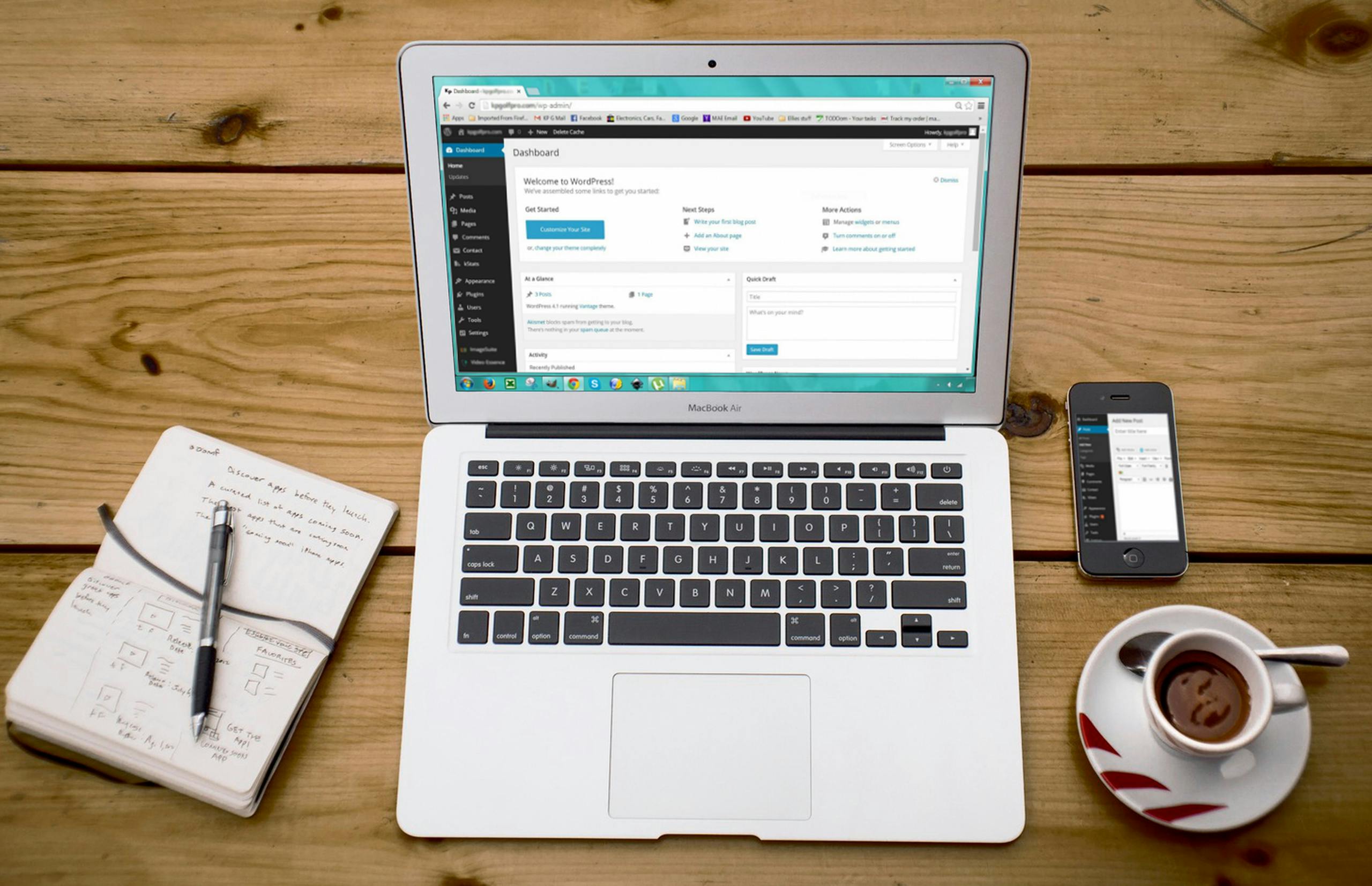
Start in your WordPress dashboard to install any free blog template. Go to Appearance > Themes on the left menu. Select Add New Theme at the top, then search for a template name—Neve, GeneratePress, or Kadence WP, for example. Hover over your preferred theme and select Install. Activate the template instantly once installation finishes. Every listed template in the WordPress directory comes fully tested for compatibility and security.
Customizing for Your Brand
Access the Theme Customizer from your dashboard after theme activation. Change colors and fonts to match your brand using theme settings—Neve offers endless customization, while Hola and Kadence WP provide direct access to layout options. Use Gutenberg or compatible page builders to add unique content sections, such as featured posts or author bios. Add widgets, like recent posts or social media feeds, to the sidebar or footer. Modify navigation menus to improve your reader’s experience. Templates like GeneratePress allow for granular adjustments, so you can set spacing and typography to maintain readability throughout your blog. With FSE (Full Site Editing) enabled in themes like Hola, customize headers, footers, and templates visually, ensuring your brand identity stays consistent across every page.
Tips for Maximizing Your Blog’s Potential with Free Templates
Prioritize themes supporting WordPress Customizer or Block Editor so you can personalize your blog’s colors, fonts, and layouts without coding. Select options such as Natalie Lite or Kadence, which streamline adjustments for writing-focused sites and let you create a unique brand identity.
Choose responsive themes that adapt to mobile screens, since most readers view blogs on smartphones or tablets. Use examples like Hola or RebeccaFashion that maintain readability and aesthetics across all devices, helping you retain mobile visitors and improve ranking in search results.
Integrate page builders like Elementor to gain flexible control over your blog’s design, allowing you to adjust post grids, headers, and widgets. With drag-and-drop tools provided by templates such as Hello Elementor or Blocksy, you can structure your site beyond preset layouts and accommodate evolving content needs.
Select lightweight templates like GeneratePress to optimize load times, as faster blogs decrease visitor bounce rates and support higher search engine rankings. Make sure the theme is optimized for speed and doesn’t include unnecessary code or media.
Verify plugin compatibility by checking that your chosen theme supports SEO, social sharing, and eCommerce plugins if you want to add features like Google Analytics tracking or a store to sell books. Templates with wide support minimize technical issues as you expand your blog’s functions.
Pick themes with active development and comprehensive documentation to protect your site from potential security risks. Regularly updated templates ensure long-term compatibility with WordPress core updates and popular plugins, as seen with Kadence or Blocksy.
Leverage themes that offer accessibility and multilingual support to reach broader audiences. With options such as Hola providing RTL language and screen reader accessibility, your blog remains usable and appealing to visitors regardless of their language or abilities.
Conclusion
Choosing the right free WordPress blog template sets the tone for your writing and helps you connect with your audience from day one. With so many thoughtfully designed options available you can launch your blog quickly and focus on sharing your stories or expertise.
Take your time exploring templates that fit your style and goals. Your perfect match is out there waiting to help you build a blog that looks great and supports your growth as a writer or blogger.